

Summary
How to resolve the error when importing a CSV file using the Flexi Utility on Sage VIP Classic and Sage VIP Premier.
Description
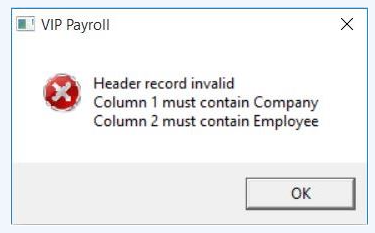
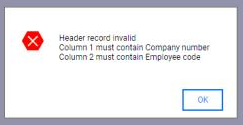
You attempt to to import a CSV file using the Flexi Fixed, Flexi Financial or Combined Flexi Imports, you receive the following error message:
Resolution
How do I adjust the Excel settings using a comma as the default setting?
If the regional settings are correct according to the Regional settings document, it might indicate that the semicolon is a backup delimiter that Excel uses if it can't use the comma for some reason.
That reason could be that Excel is already using the comma as the decimal symbol as per Excel settings. Apparently it is not allowed to use the same character for the decimal symbol and the list separator.
- Open Microsoft Excel
- Go to File > Options > Advanced
- In the section Use system separators, tick the box and make sure the Decimal separator is a fullstops, not a comma (as below)

Read more: How do I enter my Site Code when calling Sage Customer Support
 Africa
 Asia
Asia Australia
 Canada
 France
 Ireland
 Kenya
Kenya Nigeria
 Portugal
 Spain
Spain United Arab Emirates
 United Kingdom
 United States
 Germany