

Summary
Steps to create a new Sage account
Resolution
- Click Log in.
- Enter your email address, then select Continue.
The system validates if a Sage account already exists with your email address.
The screen below appears if there's no existing account: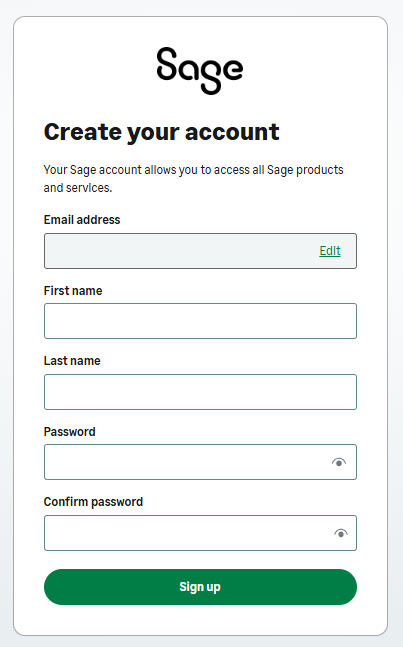
- Complete the information, including the password.
- Select Sign up.
- You'll receive a verification code per email.
Enter the verification code, then click Continue to validate your email address. - Complete your 2-factor authentication preference.
- Save your recovery code in a safe location.
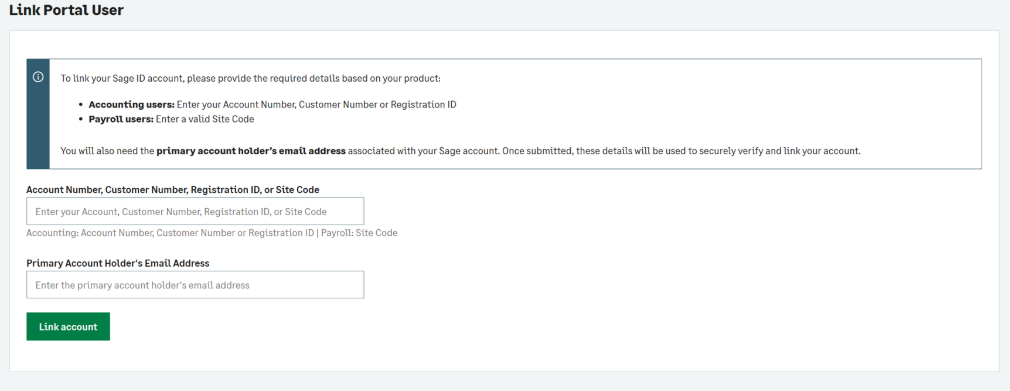
- Should you log in and receive the message below, you'll need to contact your Sage Portal administrator for assistance.
 Africa
 Asia
Asia Australia
 Canada
 France
 Ireland
 Kenya
Kenya Nigeria
 Portugal
 Spain
Spain United Arab Emirates
 United Kingdom
 United States
 Germany