Advanced Procurement: ‘Event not assigned to all Steps.’ error when saving/setting up Advanced Procurement | Maintenance | ‘Link Workflow Step to Event’ screen
Summary
Learn how to prevent/fix the ‘Event not assigned to all Steps.’ error when saving/setting up the Advanced Procurement | Maintenance | ‘Link Workflow Step to Event’ screen, in Sage 200 Evolution.
Description
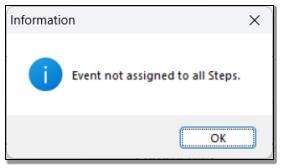
This article discusses how to fix the following errors when saving/setting up the Advanced Procurement | Maintenance | ‘Link Workflow Step to Event’ screen.
Resolution
Consider the following advice to resolve the above error:
In your case, not all 5 Events have been assigned.
For instance, only 4 Events have been assigned, as seen below.

When successfully set up, the following 5 events should be assigned and in the order as seen below. Click the OK button below when done.

Solution Properties
- Solution ID
- 250118103013550
- Last Modified Date
- Sat Jan 18 10:30:44 UTC 2025
- Views
- 0