Agent Administration: Where Evolution locally logged-in (users) agents’ user preferences, screen customisations/customizations, source document/report layouts' selections are stored/managed
Summary
Description
This article discusses where Sage 200 Evolution locally logged-in (user) agents’ user preferences are stored/managed.
These user preferences include, among others:
- Specific screen customisations e.g. selecting specific grid columns to be displayed, their sorting order, columns filters, etc., per agent.
For instance, agent Mark has customised his General Ledger | Maintenance | Accounts screen to reveal the specific columns, as well as sorting the grid on a specific column, as seen below.

- Specific source documents and report layouts selections, per agent.

- General Evolution screen/desktop layout.

- Specific settings on the Options screen for various processing screens, e.g., on the Invoice Options screen, per agent.
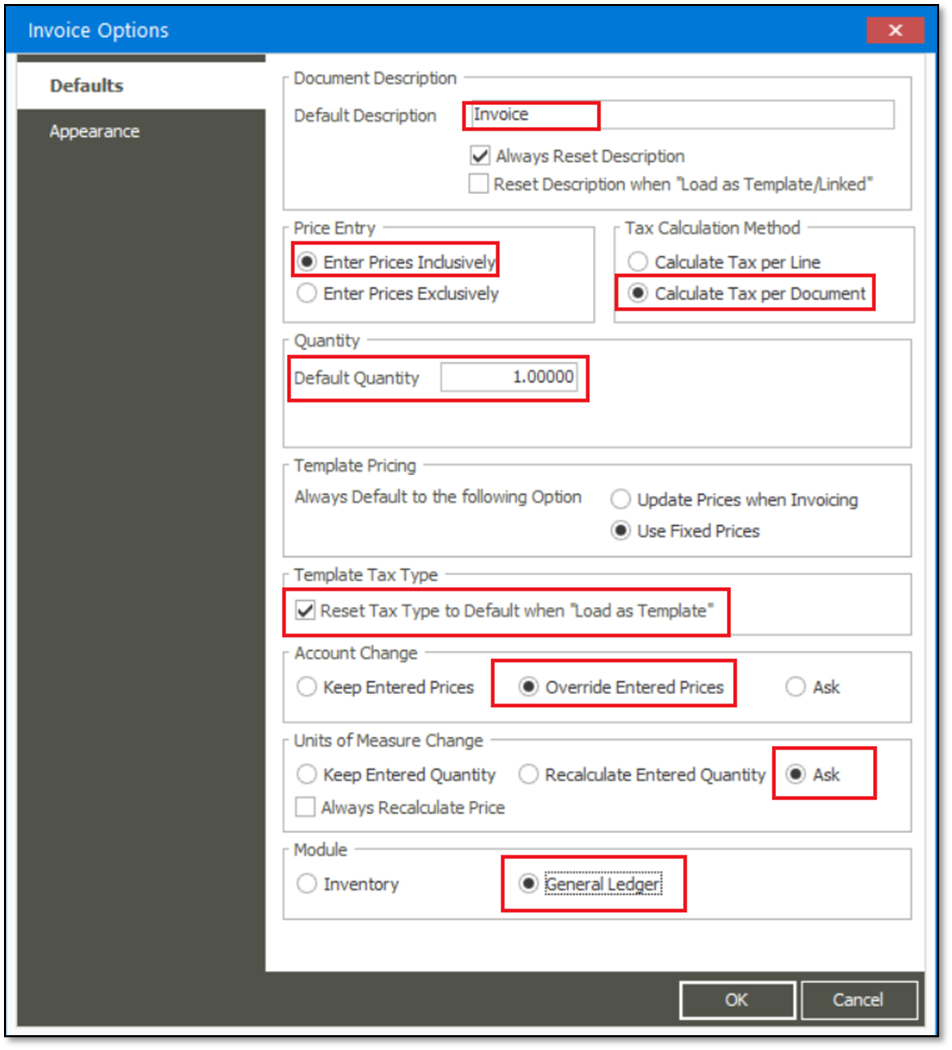
- All other agent-specific preferences across the company.
Resolution
Consider the following advice to achieve the above outcome:
All agents’ customisations are stored and maintained in the locally logged-on PC’s Registry Editor and not in the Evolution company database.
Refer to the following paths in the local PC's Registry Editor:
a) HKEY_CURRENT_USER\Software\Softline\Evolution\Agents
b) HKEY_CURRENT_USER\Software\Sage\Evolution\Agents
c) HKEY_CURRENT_USER\Software\Sage\Agents
Applying any agent-specific user preference doesn't affect other agents’ user preferences that work on other workstations on the network, or in the same RDP environment.
Agents should therefore individually set up their own user preferences (as discussed above), as locally preferred.
Solution Properties
- Solution ID
- 250106074057610
- Last Modified Date
- Mon Jan 06 07:42:14 UTC 2025
- Views
- 0