Why am I unable to print the Company contribution tab on the payslip screen
Summary
This article will assist you in resolving the issue when you are unable to print the Company contribution tab after loading the Release 6.1 update.
Description
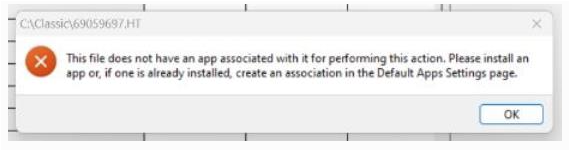
When you click on the Company contribution tab the following error message displays:
Cause
The filename that generates has a .HT file extension and not .HTM or .HTML and no program is associated with this type.
When prompted to select a program to associate, you will only be able to link Internet Explorer, which is now obsolete.
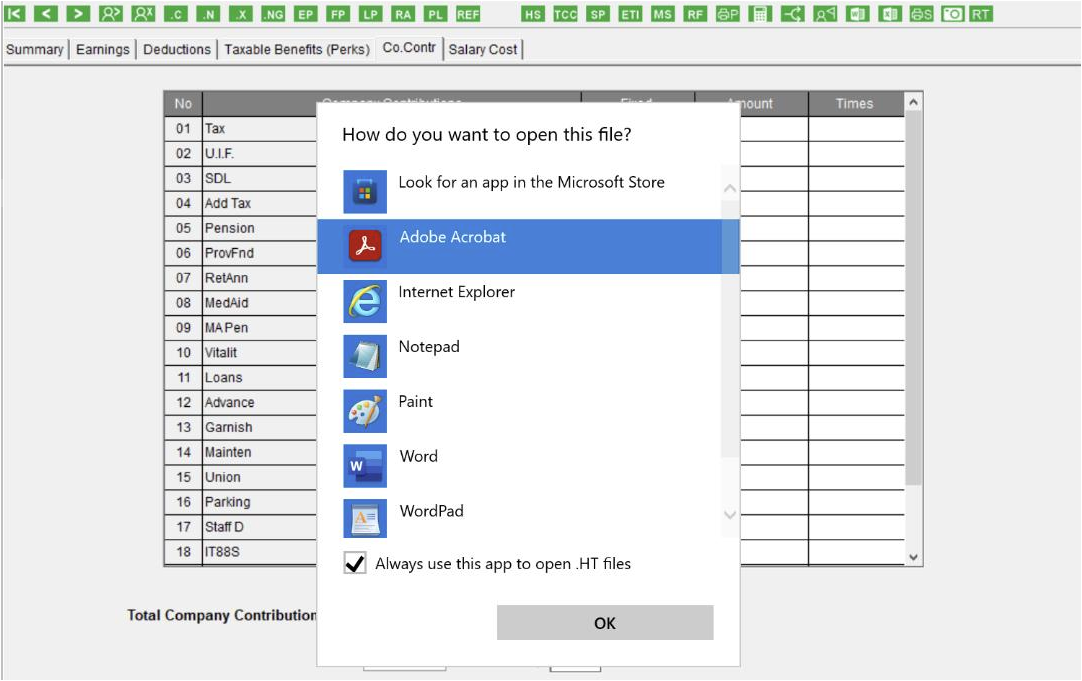
If you have Mozilla Firefox, you can choose that as the default program
Resolution
- Install Mozilla Firefox
- Under default programs, link .HT file extension with Firefox
- The print preview will now open in Firefox
- Close the payroll product and retry to print the screens
- We have noticed the issue will resolve itself after few attempts
Solution Properties
- Solution ID
- 231013074336180
- Last Modified Date
- Fri Oct 13 07:50:04 UTC 2023
- Views
- 0