

Summary
How to process a manual backup for Sage 50cloud Pastel Accounting.
Resolution
Sometimes you might need to process a manual backup for your data. This is in cases where you cannot open the company through Sage 50cloud Pastel Accounting to process the backup.
You can process manual backup through Windows Explorer. Follow the steps below to process manual backup.
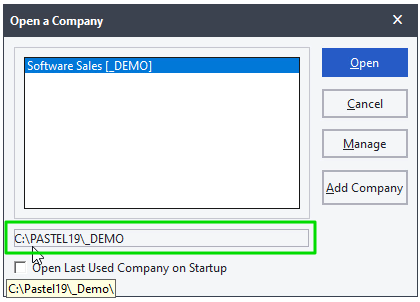
- Check the location of the company
- Select File, Open menu option
- Click on the company
- The company location displays as shown below.
- Close Pastel
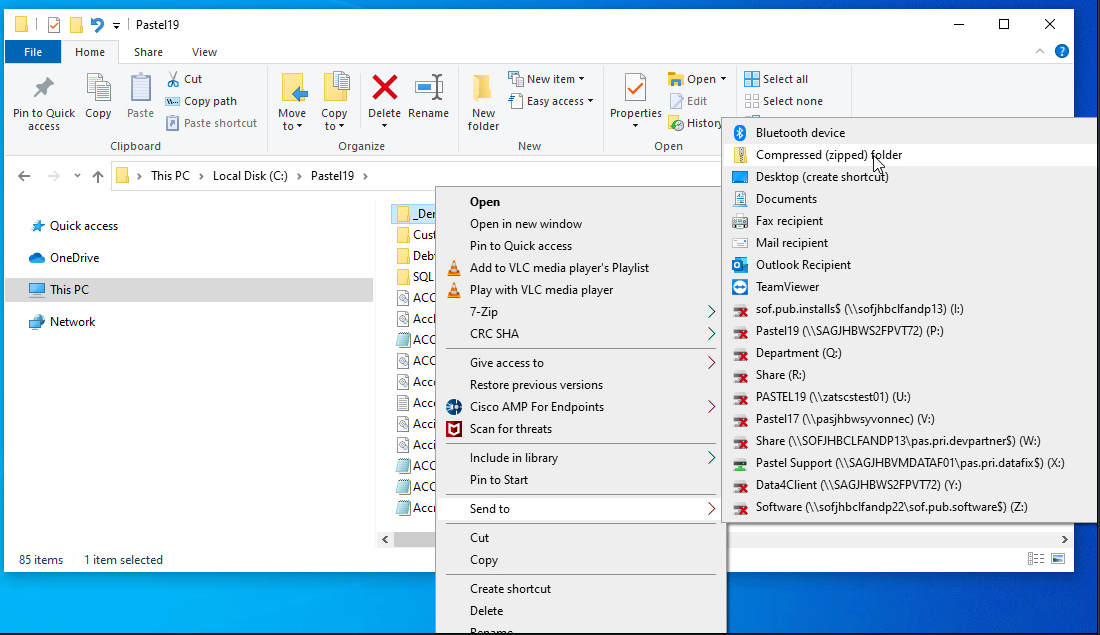
- Open the location of the company folder
- Right click on the company folder, select Send to and then Compressed (zipped) folder.
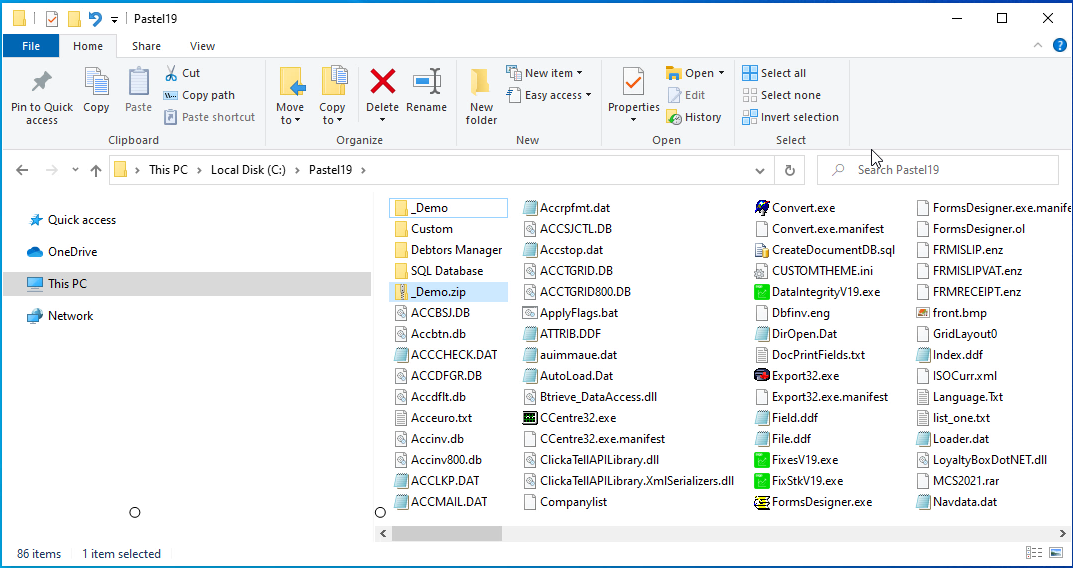
- The zipped folder will be created as shown below.
 Africa
 Asia
Asia Australia
 Canada
 France
 Ireland
 Kenya
Kenya Nigeria
 Portugal
 Spain
Spain United Arab Emirates
 United Kingdom
 United States
 Germany