e@syFile error: (" The value of source code (4587) 'xxxxxxx' cannot exceed the lower of R1.25 mil or the total of the values declared under foreign service income codes 'xxxxxx') when you have values on source code 3901/3951
Summary
Description
Code 4587 is only valid from 2021 year of assessment and is an information code which reports the section 10(1)(o)(i) foreign employment income exemption taken into account by the employer for PAYE purposes on the tax certificate. If the employee received foreign employment income but did not qualify for the exemption in terms of section 10(1)(o)(ii) of the Income Tax Act, then code 4587 will be zero. The exemption limit is R1.25 million per tax year, therefore, code 4587 cannot exceed this value.
Rules for information code 4587:
- If no foreign service income codes are completed, then code 4587 must not be completed.
- If any of the foreign service income codes allowable for the s10(1)(o)(ii) exemption is completed, then code 4587 must be completed.
- The value of source code 4587 cannot exceed the lower of R 1.25 million (the exemption limit) or the total of the values declared under the s10(1)(o)(ii) allowable foreign service income codes.
The following foreign service income source codes are included in the remuneration which qualifies for the s10(1)(o)(ii) exemption and which employers may consider for applying the exemption and calculating PAYE if all exemption requirements are met:
- Income Source codes – 3651,3655,3656,3657
- Allowance Source codes – 3751,3763,3767,3768,3772
- Fringe Benefit Source codes – 3851,3852,3855,3856,3858,3859,3860,3863,3866,3867,3870,3875,3878,3879,3881,3883
Read more in the SARS Business Requirement Specification (BRS) 2020 release.
The following error appears on e@syFile:
 EXAMPLE: e@syFile Validation error

Employees IRP5 tax certificate from the payroll system

 NOTE: Source code 4587 adds up the actual values including the cents from the payslip screen, where e@syFile adds up the truncated values of the income source codes as a total, then validates the income amounts against the total. In some instances, source code 4587 will be greater than the income code amounts, resulting in the error.
Resolution
The following steps should be followed to resolve this issue:
- Source Code 3901/3951 must not be included in the calculation of Source code 4587
- A software patch is now available for the IRP5 file. Refer to the following Sage city post :RSA IRP5 Patch: Premier and Classic Release 5.5a/b and Release 5.6a/b is now available for download
- An interim solution would be to either, amend the IRP5 file or to do a manual submission for the specific employee on e@syFile
EXAMPLE: e@syFile error message The value of source code (4587) '900001' cannot exceed the lower of R 1.25 mil or the total of the values declared under foreign service income codes '800000'
- Open the final Live IRP5.21 file and search for the line number, the IRP5 number or Employee Name as indicated next to the error messages on the e@syFIle import error log report
- Once you find the correct line, search for the value indicated in the first part of the error message – in this example, 900001
- Change the value to 800000, as indicated in the e@syFile error report
- The difference between the two values is 100001 should be equal to the value indicated next to code source code 3901/3951
- Once completed, save the file and use this file for import into e@syFile.
 CAUTION: If a Live Run file is re-created after these steps have been taken. This steps will need to be repeated to correct the values in the file.
NOTE: Do not edit any other fields as this may lead to import errors into e@syFile
Step 1: The employee will need to be flagged on the payroll system for their record not to appear on the IRP5 File
- From the Main Menu
- Select Employee
- Select Change Employee
- Select the Employee Code
- Flag the employee on the Information Screen (IS) on the Statutory details tab for Manual/e@syFile issued
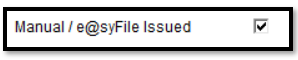
- This will exclude the employee when the IRP5 file is created
- You will be required to create a manual tax certificate for this employee on e@syFile
Step 2: Create the employee's tax certificate on e@syFile
- For steps on how to create the employee's tax certificate on e@syFile, click here (Refer to page 28)
NOTE: If you require any further assistance, kindly contact your Accountant, Tax Practioner, or Accredited Business Partner
Solution Properties
- Solution ID
- 210508072918707
- Last Modified Date
- Tue May 02 12:49:48 UTC 2023
- Views
- 0