

Summary
Sage Pastel Payroll: How do I pay my account using the Customer Zone?
Resolution
- Open your Internet browser and navigate to https://portal.sage.co.za/
- Enter your Site Code
- Enter your Email adress as it is on our system
- Enter your Password
 NOTE: For a more detailed guide on how to login or change your password click here.
 - Select Sign In
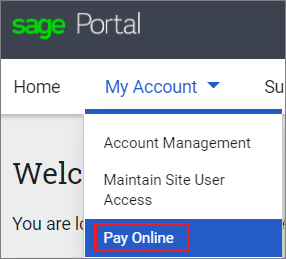
- Select My Account on the left hand side
- Select Pay Online
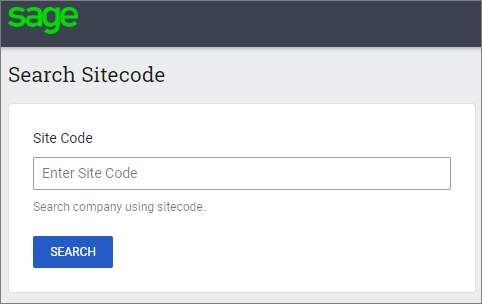
- Enter your Site Code
- The system will locate your site code along with your company details, please fill in:
- Contact Person
- Cell Number
- Telephone number
- The Payment amount
- Additional Note

- Click on Submit
- On the next screen, make sure your email address an Mobile number is entered correctly
- Select your prefered payment method:

NOTE: Depending on your prefered payment method, the next screens will be different for each method. Fill in the payment screen and continue with the Payment Portal.
 Africa
 Asia
Asia Australia
 Canada
 France
 Ireland
 Kenya
Kenya Nigeria
 Portugal
 Spain
Spain United Arab Emirates
 United Kingdom
 United States
 Germany