

Summary
Description
Loading a Loan on payroll will provide you with better record keeping and accurate reporting on Loan deductions.
Resolution
On the Navigation pane
Expand Company Management
Expand Payroll Definitions
Double click Deductions
Select New


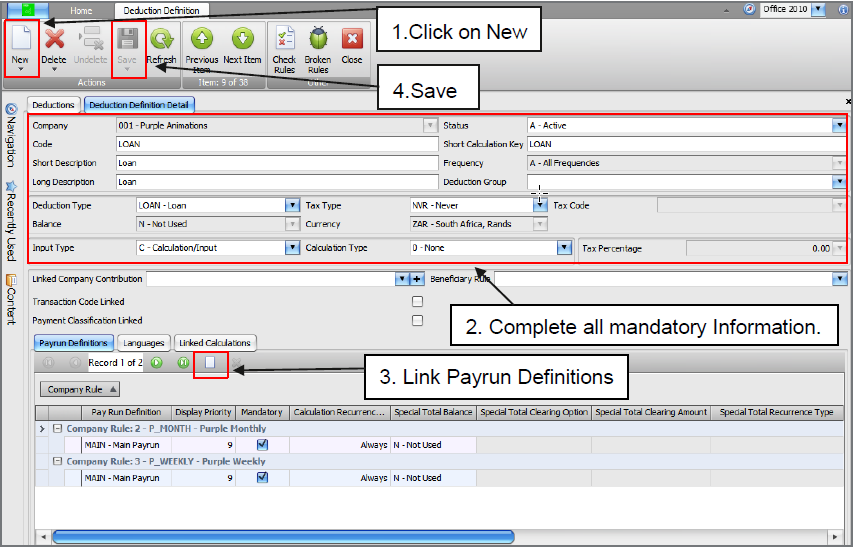
Loading the Payslip Definition.
On the Navigation pane
Expand Employee Management
Select Employees
Search Applicable Employee
Select Payslip Definition
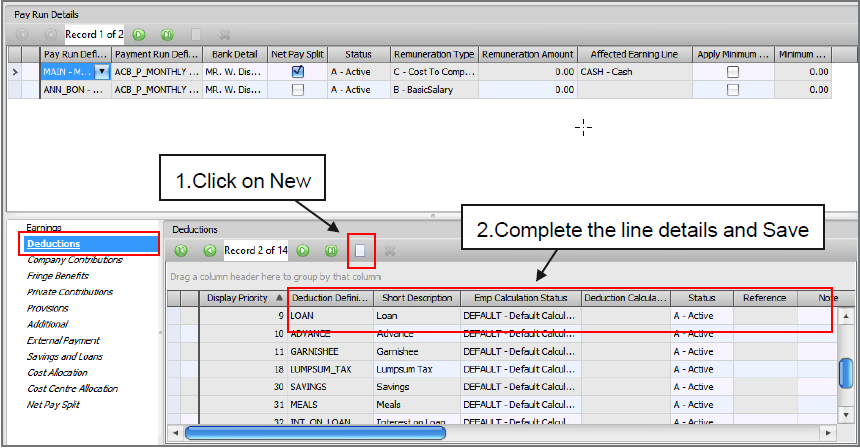
Add the Loan Deduction Line so that the Savings and Loans is available.
On the Payslip Definition, the Savings and Loans screen will be available for input.

| Field to be completed | Description |
| Savings Loan Type | Loan |
| Description | Custom Description applicable to the Loan |
| Reference | Custom Reference Number applicable to the Loan |
| Deduct via Payroll | Flag in order for the Loan to deduct on the Payroll |
| Emp Deduction Definition | Only the Loan Deduction Line will be available |
| Initiation Date | The Loan Start Date |
| Initial Value | Balance Owing |
| Installment | Monthly repayment amount |
| Interest Type: |
|
| None | No Interest Specified |
| Simple | Determined by multiplying the daily interest rate by the Amount and the number of days that elapse between payments |
| Compound | Calculated on the Initial Loan Amount and also on the accumulated interest of previous periods of a deposit or loan |
| FB (Fringe Benefit) | Should the Loan be a Low or Interest Free Loan according to SARS regulations, a Fringe benefit will exist and the Fringe Benefit also needs to be linked |
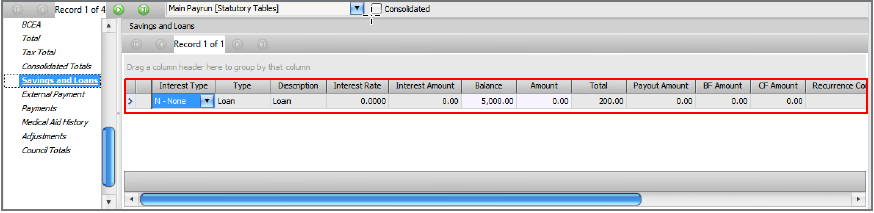
Display on Payslip Detail.
On the Navigation pane
Expand Employee Management
Select Employees
Search Applicable Employee
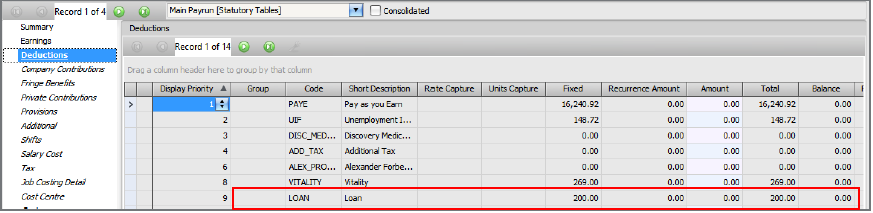
Select Payslip Detail
Select Summary
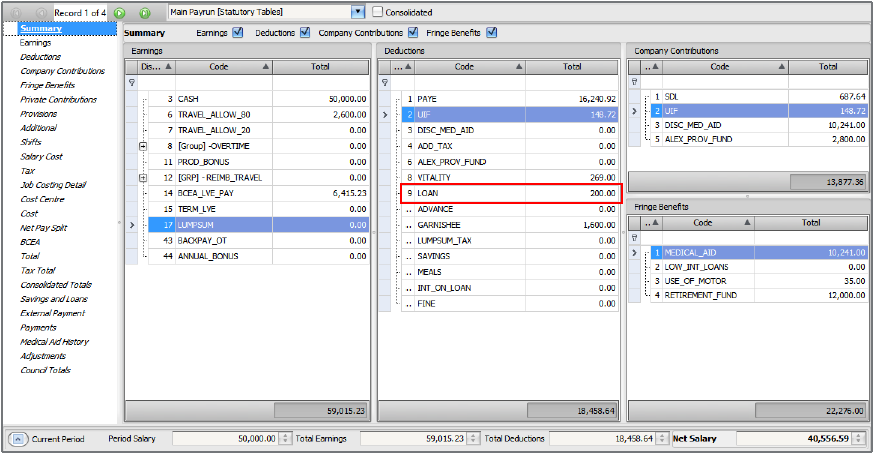
Select Deductions
Select Savings and Loans
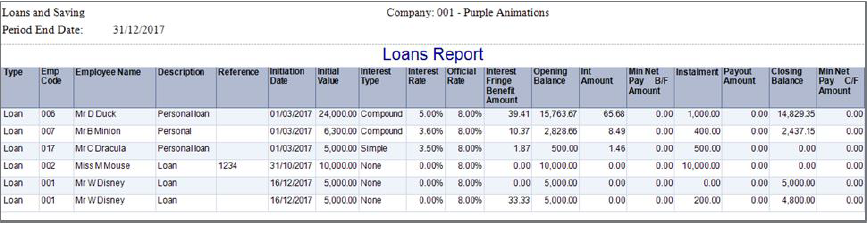
Printing the Loans and Savings Report.
On the Navigation pane
Expand All Reports
Double click Reports
Expand Payroll
Expand LOANSAVN
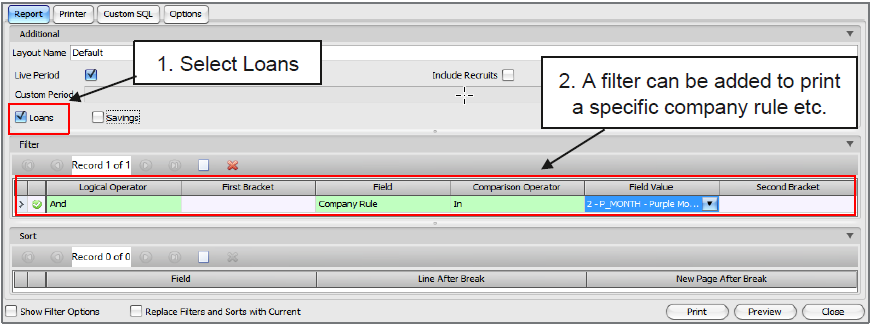
Double click Loans and Savings
 Africa
 Asia
Asia Australia
 Canada
 France
 Ireland
 Kenya
Kenya Nigeria
 Portugal
 Spain
Spain United Arab Emirates
 United Kingdom
 United States
 Germany