

Summary
How to add a public holiday.
Description
Sage Pastel Payroll includes only government-declared public holidays. You can manually add religious or unplanned holidays when needed.
Resolution
- Go to Setup then Pay Frequencies.
- Click the Holidays tab.
- Scroll to the bottom of the list.
- In the first available row, enter the date and the below message will pop-up, Click OK.
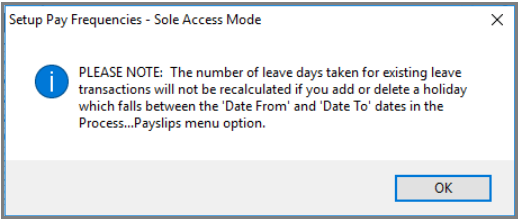
- Enter a description of the new public holiday then click OK.
 TIP: View our video.
 Africa
 Asia
Asia Australia
 Canada
 France
 Ireland
 Kenya
Kenya Nigeria
 Portugal
 Spain
Spain United Arab Emirates
 United Kingdom
 United States
 Germany