

Summary
Description
Up until now, all item sales have been linked to one Sales Account.
Now you can assign your Items to their own unique sales and purchase accounts.
When you process a customer’s invoice, Accounting will use the sales account set on the item.
When you buy items from a supplier, Accounting will use the purchases account setup on the item.
Resolution
Read the below instructions or alternatively watch the step-by-step video below.
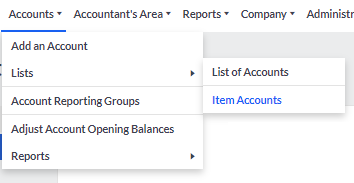
To create Sales and Purchase Accounts, go to Accounts – Lists – Item Accounts.
Click Add an Account.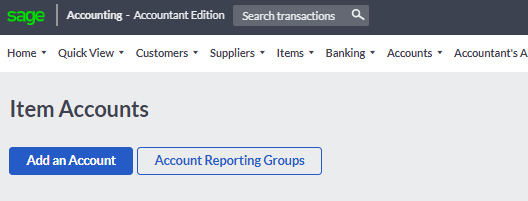
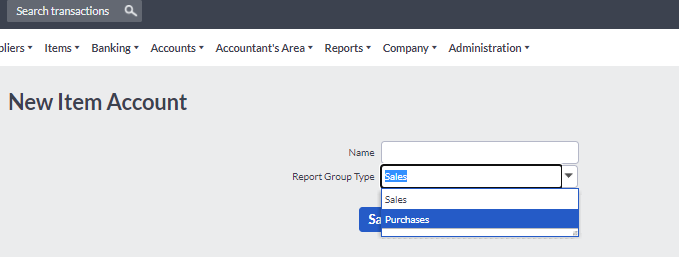
Enter the Account name and the Report Group Type and save.
How to link an Item Account to an Item
To link an account to an existing Item, Go to Items – Lists – List Of Items, click “Actions” and Edit.
Select the account under Item Accounts
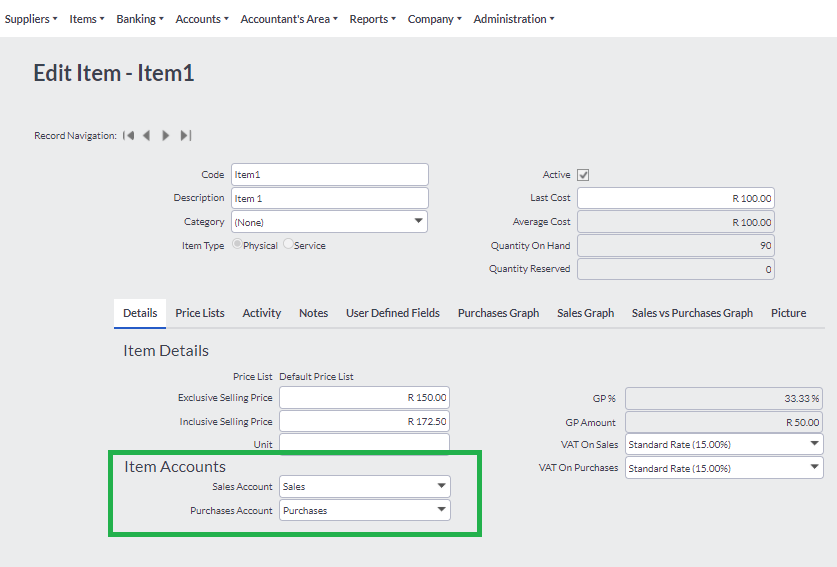
To link the sales and purchases Items to a new Item, Go to Items – Add an Item.
Save your changes.
 Africa
 Asia
 Australia
 Canada
 France
 Ireland
 Kenya
 Nigeria
 Portugal
 Spain
 United Arab Emirates
 United Kingdom
 United States
 Germany