

Summary
Learn how to prevent/fix the ‘Event not assigned to all Steps.’ error when saving/setting up the Advanced Procurement | Maintenance | ‘Link Workflow Step to Event’ screen, in Sage 200 Evolution.
Description
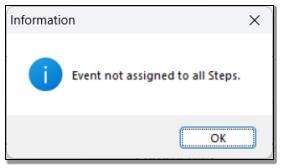
This article discusses how to fix the following errors when saving/setting up the Advanced Procurement | Maintenance | ‘Link Workflow Step to Event’ screen.
Resolution
Consider the following advice to resolve the above error:
In your case, not all 5 Events have been assigned.
For instance, only 4 Events have been assigned, as seen below.

When successfully set up, the following 5 events should be assigned and in the order as seen below. Click the OK button below when done.

 Africa
 Asia
Asia Australia
 Canada
 France
 Ireland
 Kenya
Kenya Nigeria
 Portugal
 Spain
Spain United Arab Emirates
 United Kingdom
 United States
 Germany