

Summary
Description
This article discusses how to fix the following issue on a printed source document:
Instead of having a Foreign Currency Unit Price, Total Line Price, and/or Document Totals on printed source documents, the values are printed in the equivalent Local Currency values.
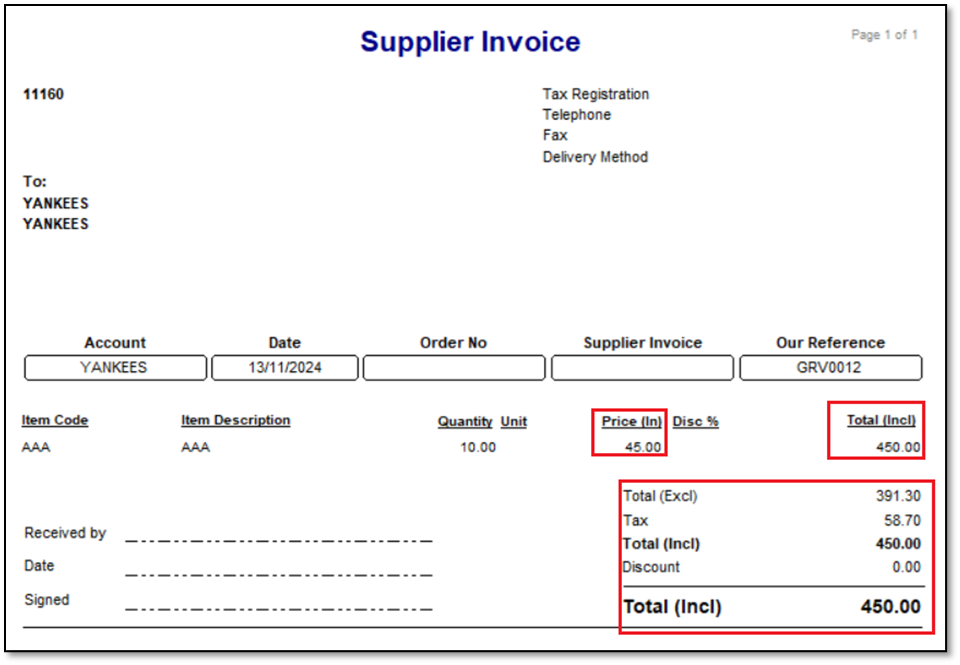
For instance, notice the following below:
The local Supplier Invoice below is displayed where the Unit Price, Total Line Price, and/or Document Totals are printed with Local Currency values.
Resolution
Consider the following advice to resolve the above issue:
You may have imported an already customised Local Currency source document layout into the Foreign Currency collection of Layouts.
To explain further, consider the following steps to recreate the above issue, by using a Supplier Invoice as a source document example:
1. Go to Print | Print Options | Print Options (Supplier Invoice)…..
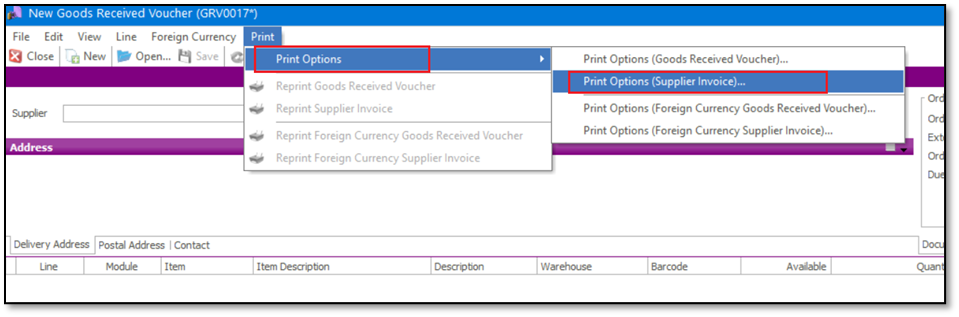
2. Find and export the customised Foreign Currency, and save it in the required location.

3. Go to Print | Print Options | Print Options (Foreign Currency Supplier Invoice)…..
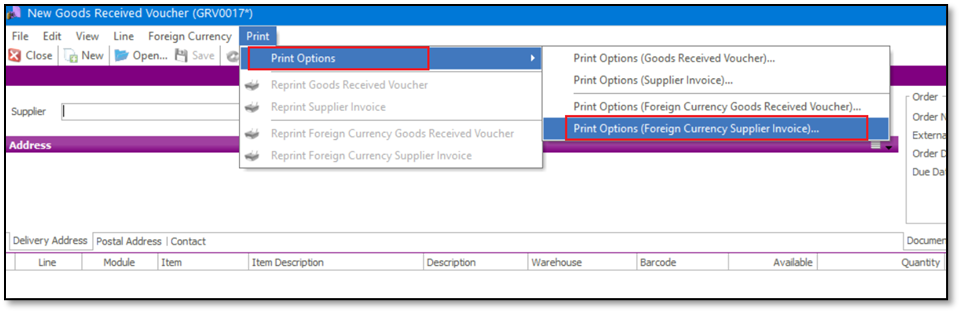
4. On the Layout Options tab, click the Import Layout button.
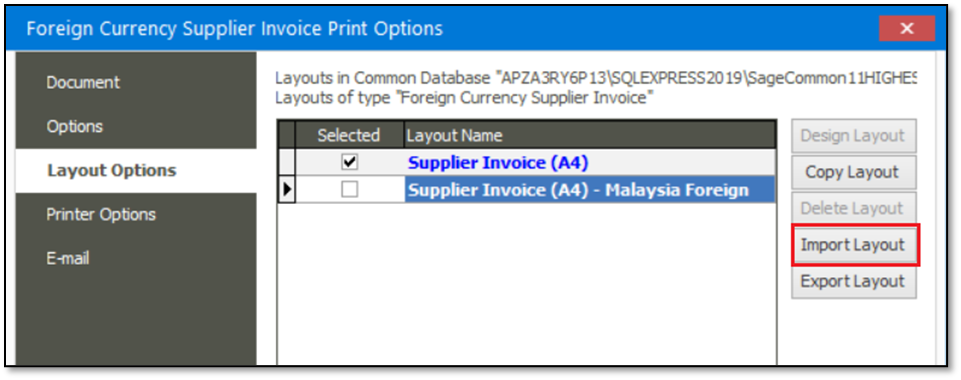
5. Browse for the layout exported in Step 2 above.
6. Give the imported layout an appropriate name.
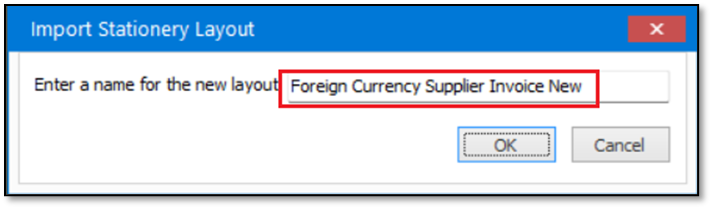
7. Select the new layout as the default layout to be printed.

8. It’s when you now print the SINV that the above issue is observed:
Local Currency, instead of Foreign Currency Unit Price, Total Line Price, and/or Document Totals on the printed Foreign Currency SINV.

Instead of importing a foreign currency layout, rather do the following:
1. Go to Print | Print Options | Print Options (Foreign Currency Supplier Invoice)…..
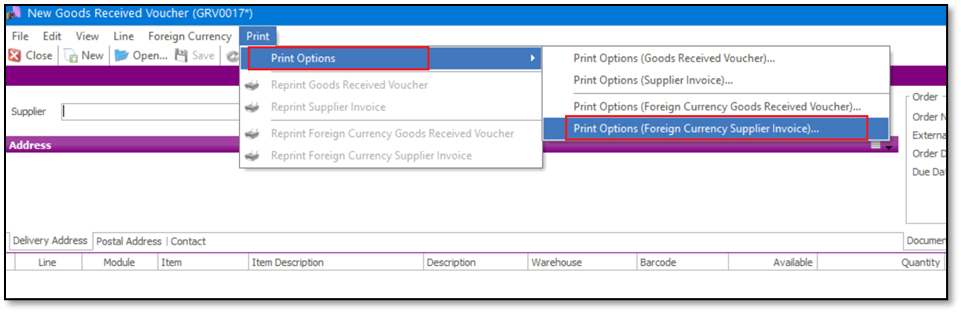
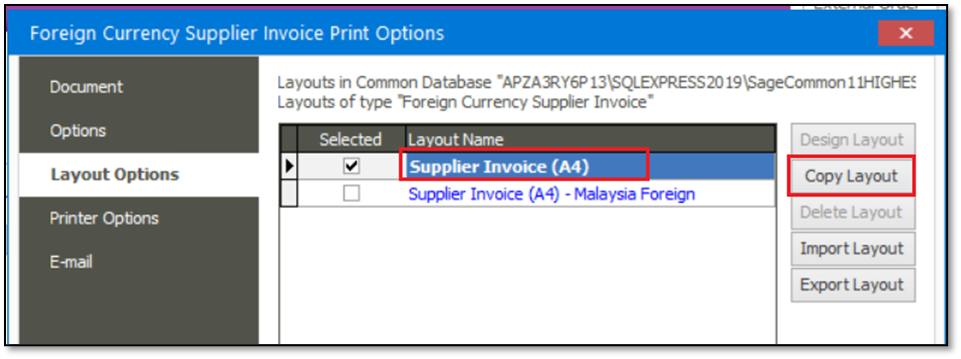
2. Copy one of the relevant standard layouts.
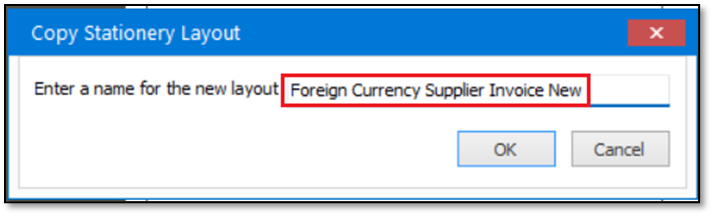
3. Give it an appropriate name.
4. Continue to customise it, save and then use this new layout in the future.

 Africa
 Asia
Asia Australia
 Canada
 France
 Ireland
 Kenya
Kenya Nigeria
 Portugal
 Spain
Spain United Arab Emirates
 United Kingdom
 United States
 Germany