On the Navigation Pane Expand System Tools
Double-click on Global Actions
Expand Database Backup
Click on the Backup button 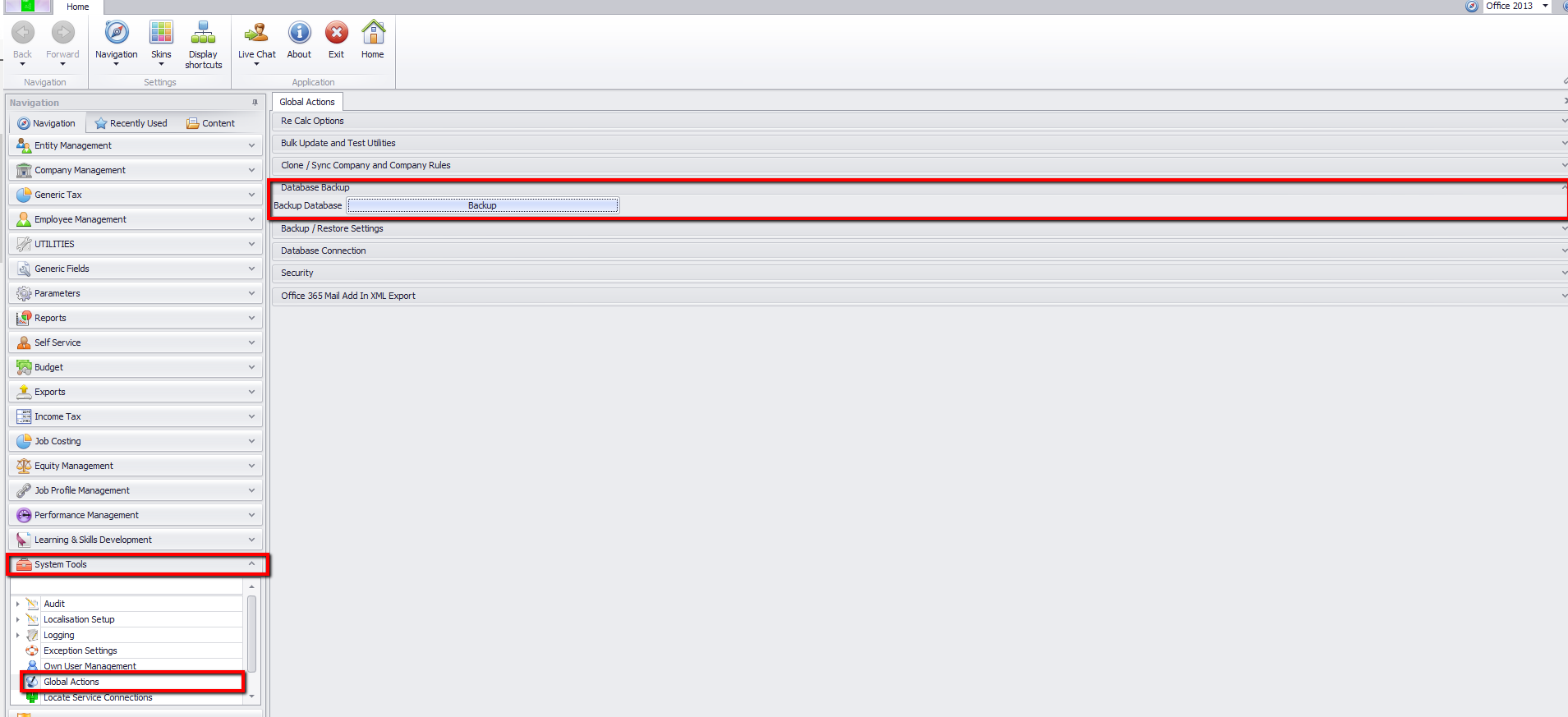
Enter the Backup Reason
Click on OK

The name of the backup will contain the database name, version number, date and time.
Take down the location of where the backup is saved to in order to retrieve it again.

Take Note: The location where the backup will be saved is setup in SQL Management studio. The user will not be able to select a location from the application. The user should also have access to this location in order to make the backup successful.

|